Webflow or WordPress: practical insights from real projects
Choosing a website platform is never about which one is “better.” It’s about which one makes sense for the specific product, team, and long-term goals. At Snig Digital, we’ve launched a wide range of projects on both Webflow and WordPress — from creative portfolios and SaaS websites to content-heavy platforms and editorial ecosystems. This article shares practical insights based on real projects, not theory.
Why the technology choice matters
The platform you choose directly affects:
- how fast the website can be designed and launched
- how easily the team can manage and update content
- performance and SEO fundamentals
- initial and long-term budget
- integration capabilities
- how scalable the website will be over time
That’s why we never start with “Webflow or WordPress?” We start with goals, content structure, internal workflows, and future plans — and only then recommend a platform.
Webflow: visual freedom, speed, and marketing autonomy
Webflow is an excellent choice for brands that prioritise strong visual identity, fast launches, and simple content management without relying on developers.
Pros of Webflow
- Full design flexibility
No rigid templates. Custom layouts, interactions, and animations are built visually with full creative control. - Marketing teams can build landing pages independently
With a pre-designed block system, internal teams can assemble new landing pages quickly and affordably — without engineering involvement. - Intuitive editor
Non-technical teams can update text, images, CMS items, and pages with minimal onboarding. - Clean, high-performance code out of the box
Websites load fast without complex optimisation setups. - Faster development and lower build cost
Design and development happen in one environment, reducing handoff friction. - Hosting included
Secure, stable, and automatically optimised hosting with no extra setup. - Strong technical SEO foundation
Clean markup, fast load times, and built-in SEO controls.
Limitations of Webflow
- Localization costs
Each additional language adds approximately $10/month per locale to the platform cost. - Fewer native integrations
Advanced functionality may require custom solutions or third-party tools. - Subscription-based hosting
Monthly fees are unavoidable (though often comparable or lower than WordPress hosting + plugins combined).
Best suited for
- creative studios
- SaaS startups and early-stage products
- game industry portfolios
- brand and storytelling websites
- corporate sites with strong visual focus
- companies without in-house developers
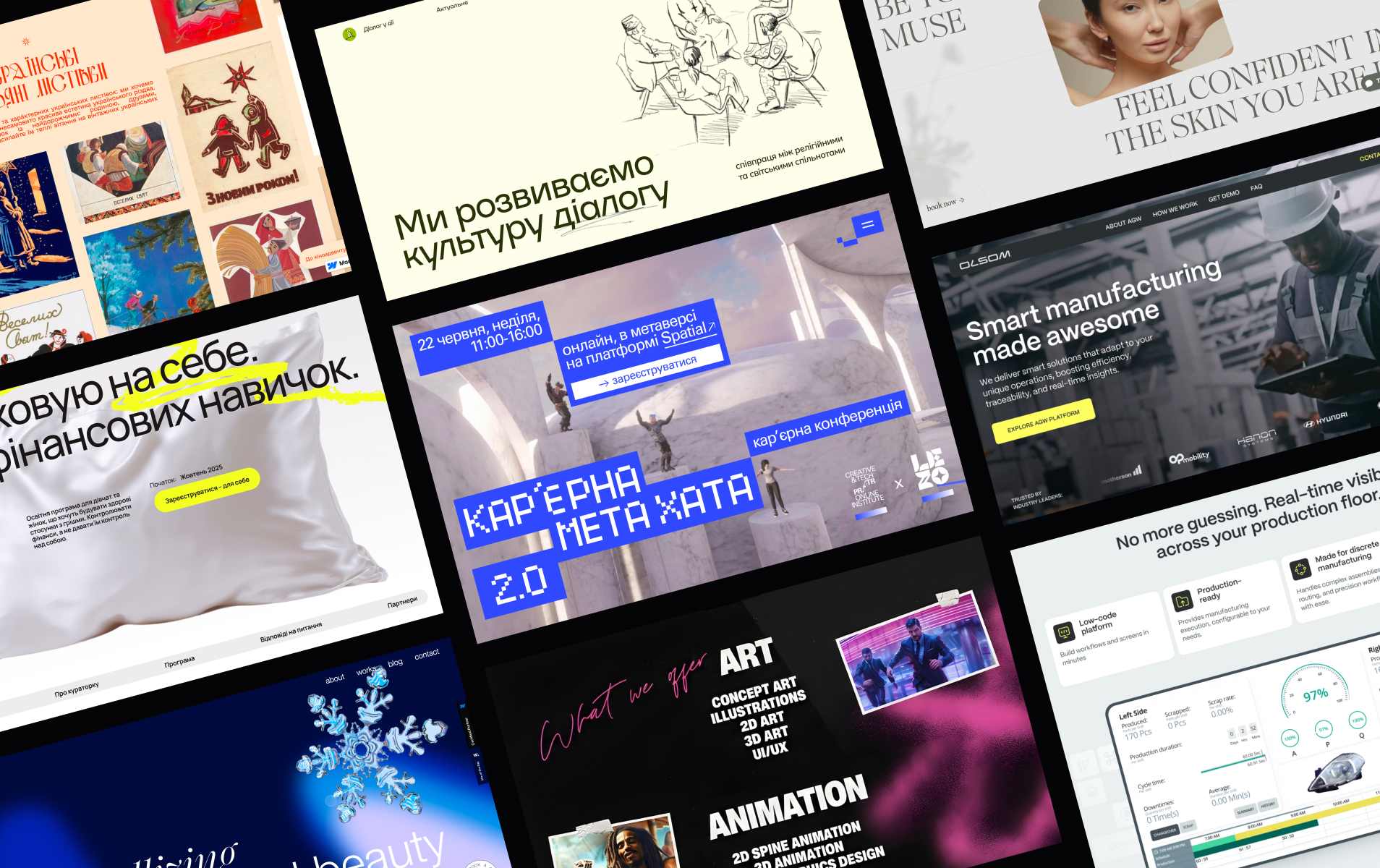
Examples of Snig projects built on Webflow: https://webflow.com/@snig-digital
WordPress: content power, plugins, and long-term scalability
WordPress remains one of the most powerful CMS platforms for content-driven and integration-heavy projects.
Pros of WordPress
- Ideal for content-heavy websites
News platforms, blogs, knowledge bases, and editorial ecosystems thrive on WordPress. - Extensive plugin ecosystem
SEO, multilingual support, memberships, directories, booking systems, comments, analytics — almost anything is available. - Highly scalable
Handles large volumes of content, complex taxonomies, and high traffic with proper setup. - Flexible development options
Custom themes and plugins allow building almost any functionality. - Mature SEO ecosystem
Advanced optimisation through established plugins and tools. - Familiar CMS for many teams
Editors and content managers often already know WordPress.
Limitations of WordPress
- Custom page builders are expensive to build properly
Creating a flexible, Webflow-like visual system in WordPress requires significantly more development effort. - More development hours for full custom design
WordPress allows full customisation, but it takes more time and budget to achieve it. - Hosting and maintenance required
Security updates, plugin compatibility, backups, and performance optimisation must be actively managed. - Performance depends on setup
Without caching and optimisation, sites can become slow over time.
Best suited for
- editorial teams
- content platforms with categories, tags, and complex structures
- multi-language publishing
- long-term content strategies
- projects with deep integrations (CRM, booking, memberships)
How We Recommend a Platform at Snig
Every recommendation starts with understanding:
- content volume and structure
- internal editorial workflows
- the need for teams to independently create landing pages
- required integrations
- budget and timeline
- long-term maintenance capacity
Design quality alone is not a deciding factor — both platforms can support high-end custom design.
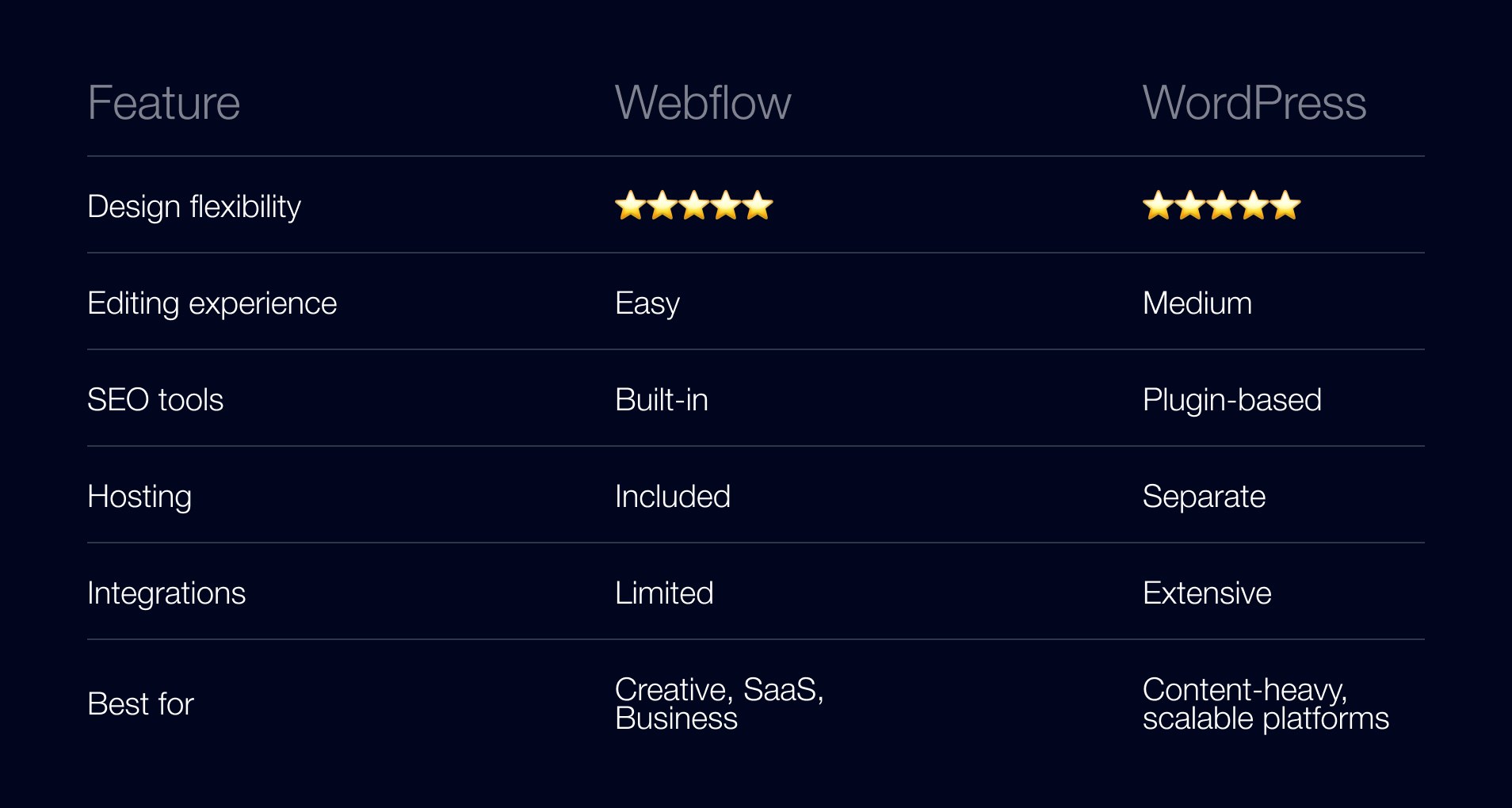
When we recommend Webflow
- fast launch is critical
- marketing teams need autonomy
- content structure is relatively simple
- integrations are limited or lightweight
When we recommend WordPress
- the website is content-heavy
- complex CMS structures are required
- multiple plugin-based features are essential
- long-term scaling is expected
- editorial workflows are central to the business
Final Recommendation
At Snig Digital, we always analyse the project’s structure, content model, internal workflows, and long-term plans before choosing a platform. This approach helps define a clear technical direction early and prevents costly rebuilds later.
If you’re deciding between Webflow and WordPress for your next project, we offer a 30-minute strategy call where we review your goals, content setup, and growth plans — and recommend the platform that truly supports your business, not just today, but long-term.
.jpeg)
.jpeg)